Miqenekor
Free Kit
Free Kit
Couldn't load pickup availability
Share
1. Problem Statement
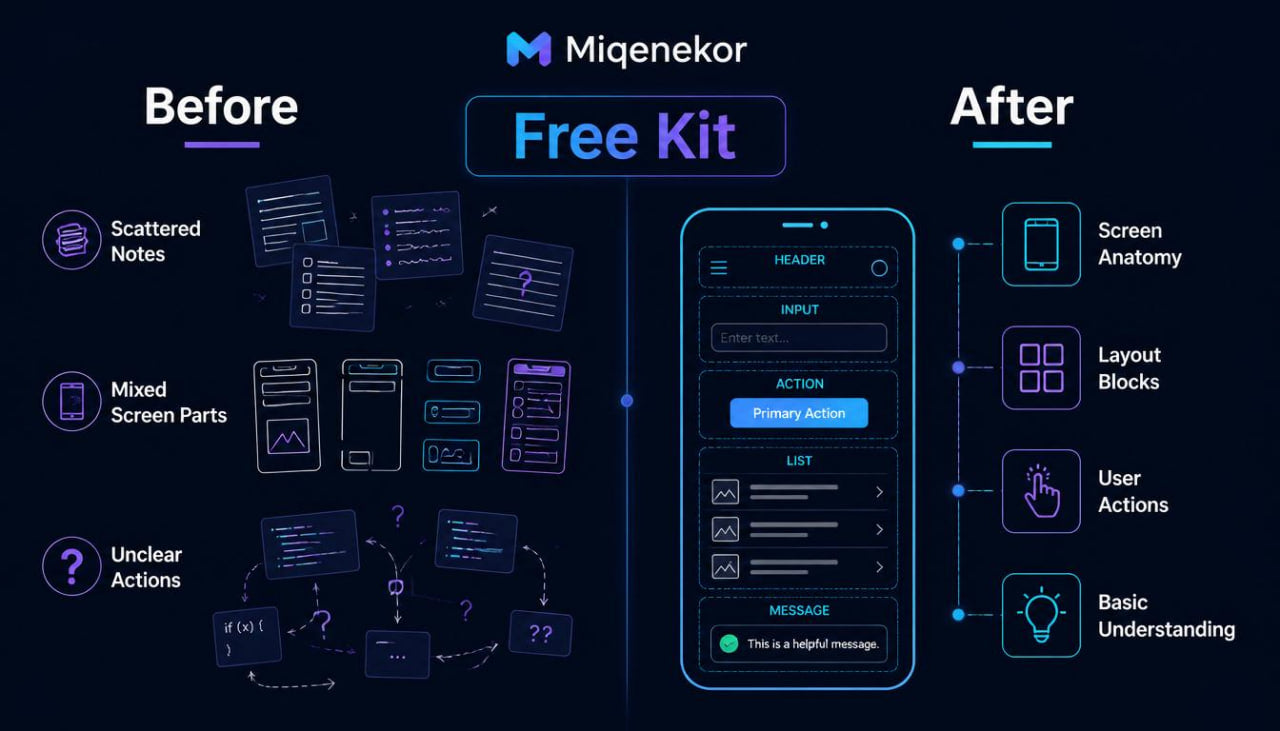
Many people meet mobile development through scattered terms, mixed examples, and explanations that move into complex ideas before the basics feel organized. A learner may read about screens, components, logic, inputs, layout structure, and code files, but still not see how these ideas sit together in one learning path. This can make the first step feel unclear, especially when the material jumps between theory and code without enough pause for review. Some learners only need a small sample before deciding whether the course style matches their study habits. Free Kit was created for that first look, with a smaller structure that introduces the Miqenekor method through simple explanations and practical reading tasks.
2. Solution
Free Kit gives learners a compact starting point built around clear written materials, short code examples, and small review activities. Instead of presenting too many topics at once, it shows how Miqenekor organizes mobile development ideas into readable sections. The course sample introduces basic screen thinking, file organization, simple interface structure, and the role of practice notes in study. Learners can use it to understand the rhythm of Miqenekor materials before moving into a wider tier. The goal is not to make broad claims, but to provide a useful first step into structured mobile development learning.
3. What’s Inside
Free Kit includes a small but carefully arranged set of digital learning materials from the Miqenekor study format. The materials are written for learners who want to see how mobile development topics can be explained with order, plain wording, and practical examples.
The first part introduces the idea of mobile development as a combination of screen structure, user actions, data flow, and code behavior. It explains how a simple mobile interface can be thought of as a group of visible parts and invisible instructions. Learners are guided through basic terms such as screen, layout block, button behavior, input field, navigation step, state, and reusable code section. Each term is explained in a simple context, with short notes that show why the idea matters inside a learning path.
The second part focuses on code reading. Instead of asking the learner to write a large project, Free Kit shows small code-style examples and explains what each part is meant to represent. The examples are kept short so the learner can follow the structure line by line. There are notes beside the examples that explain naming, organization, indentation, and how separate pieces of code can describe different parts of a screen.
The third part introduces screen planning. This section explains how a learner can look at a mobile screen and divide it into areas: header, content area, action area, input area, and feedback area. The purpose is to show that mobile development is not only about writing code, but also about thinking through structure before writing. The material includes a simple planning task where the learner describes a screen in words before connecting it to code ideas.
The fourth part includes a mini glossary. This glossary covers beginner terms in a direct and calm style. It does not overload the learner with long theory. Instead, it gives short explanations that can be reviewed while reading the sample.
The fifth part includes practice prompts. These prompts ask learners to observe a simple mobile screen idea, describe its parts, rewrite a small logic flow in plain language, and answer short review questions. The tasks are meant to support active reading rather than passive scrolling.
Free Kit also includes a short review page. This page gathers the main ideas from the sample and gives learners a clean place to revisit the material. It can be used as a reference before looking at the next course tier.
4. Who Is This For?
Free Kit is for learners who want to explore mobile development through written materials before choosing a larger Miqenekor tier. It is suitable for someone who has little or no previous experience and wants to understand the general style of the course materials. It can also be useful for learners who have already seen mobile development topics elsewhere but want a calmer, more organized introduction.
This tier is also a good fit for people who prefer reading, examples, notes, and small tasks instead of long lectures or broad claims. It is made for learners who want to examine the structure of Miqenekor courses before selecting a deeper course set. Free Kit can be used as a light starting point, a store sample, or a first study file for understanding how the brand presents mobile development topics.
5. What You’ll Learn
- How mobile development can be divided into screens, layout parts, user actions, and code behavior.
- How to read a short code-style example without feeling lost in too many details at once.
- How basic interface parts can be described before they are connected to code.
- How screen planning can support clearer study habits.
- How to recognize simple terms such as layout block, input field, action area, navigation step, state, and reusable section.
- How Miqenekor structures written modules, examples, review notes, and practice prompts.
- How to use short review tasks to check whether a topic feels clear enough to continue.
- How to connect plain-language descriptions with basic code thinking.
- How to approach mobile development study through small sections rather than scattered notes.
- How to prepare for a wider Miqenekor tier by first reviewing the sample format.
6. 30-Day Refund Note
For paid Miqenekor tiers, customers may request a refund within 30 days according to the store refund policy. Since Free Kit is a free starting sample, no paid refund process is needed for this tier. This sample is provided so learners can review the course style, structure, and topic layout before choosing another Miqenekor course. For any questions about orders, course files, or store policy, customers can contact the Miqenekor team through the contact page.
Self-paced learning overview
- 📄 Digital file available after purchase
- 🗂️ Long-term availability
- 🔒 Secure checkout
- 🗓️ Content updated in 2026
What format are Miqenekor courses provided in?
What format are Miqenekor courses provided in?
Miqenekor courses are provided as digital learning materials with written modules, code examples, practice tasks, review notes, and structured topic sections. The materials are made for self-paced study and can be reviewed in parts.
Do I need previous mobile development knowledge?
Do I need previous mobile development knowledge?
No previous mobile development background is required for the starting tiers. The early materials begin with basic ideas, simple code structure, screen logic, layout thinking, and small practice tasks.
Can I study at my own pace?
Can I study at my own pace?
Yes. Miqenekor courses are arranged so learners can move through the materials gradually, repeat sections, and return to examples when needed.